

Affiliate Disclosure: FORWRD earns a commission on purchases made through Pickleball Central links in this article at no extra cost to you. We only recommend products we'd genuinely buy — here's our editorial policy.
The Pickleball Tutor Spin Ultra costs $530 more than the standard Tutor Spin. That's a real gap. Whether that gap is worth crossing depends on exactly how you practice — and most reviews skip that conversation entirely.
We tested the Spin Ultra over three weeks at an outdoor hard court and indoor sport court facility, putting it through solo drill sessions, small-group training, and side-by-side comparisons with the base Spin model. Here's the honest verdict.
Quick Verdict
Pickleball Tutor Spin Ultra — $1,649
Pros:
- Left and right sidespin — rare at this price point
- Electronic elevation means you adjust arc from the app, not by walking over
- Random oscillation creates genuinely unpredictable ball placement
- 6 preset drills (4 shots + 2 drills) give structured practice without a coach
- Digital display shows exact settings — no more guessing at the dial position
- Under 30 lbs with a towing handle, reasonable portability
Cons:
- Sidespin only — no topspin or backspin (that's the Plus Ultra's job)
- 4-hour battery limits long club sessions
- Ships 2–3 weeks from order; this isn't Amazon Prime
- Balls not included; you'll need 100–125 to fill the hopper ($50–$90 extra)
- Battery degrades over time — plan for eventual replacement cost
Price: $1,649 at Pickleball Central
Best for: 3.5–5.0 players focused on sidespin defense, third-shot drops, and dink consistency. Club coaches running multiple players per session.
Skip it if: You primarily want topspin/backspin training, or you're a casual player who plays once a week.
Specs at a Glance
| Spec | Pickleball Tutor Spin Ultra |
|---|---|
| Price | $1,649 |
| Ball Capacity | Up to 125 pickleballs |
| Speed Range | Up to 60 mph |
| Spin Types | Left sidespin, Right sidespin |
| Oscillation | Random + 2-line oscillation |
| Elevation | Electronic (remote-controlled) |
| Preset Drills | 4 preset shots + 2 preset drills (all customizable) |
| Remote Options | Smartphone app + handheld remote |
| Battery Life | Up to 4 hours per charge |
| Weight | Under 30 lbs (with towing handle) |
| Indoor/Outdoor | Both |
| Warranty | 3 years (machine), 1 year (battery) |
Check Price at Pickleball Central →
Last Updated: September 2026
Why Trust This Review
FORWRD designs gear for people who take pickleball seriously but aren't pro tour players. Our testing methodology on equipment isn't exotic: we use the gear in real conditions — outdoor concrete in summer heat, indoor sport tile in winter — and we time sessions, count balls, and compare against alternatives we've also used.
For ball machines specifically, we've now reviewed every major machine in the $800–$2,200 range including the Tutor Mini, Tutor Spin, Tutor Plus Ultra, Lobster Champion, Lobster Pickle Two, ERNE Machine, and TITAN ONE. That cross-machine context is what lets us tell you exactly where the Spin Ultra sits in the landscape and when a cheaper alternative actually makes more sense.
We don't get paid differently based on which machine you buy. Every affiliate link in this article earns the same commission rate from Pickleball Central.
Spin vs Spin Ultra: What the $530 Upgrade Actually Gets You
This is the question that matters most if you're already considering the regular Pickleball Tutor Spin ($1,119). Here's what changes when you go Ultra:
Digital display. The base Spin uses dials. You set speed, spin, and interval by feel — which means sessions aren't repeatable. Monday you dial in a perfect cross-court dink drill, and Wednesday you're guessing to get back to the same setting. The Spin Ultra's digital panel shows exact numbers, so you can actually build progressive practice sessions over weeks.
Electronic elevation. On the base Spin, you adjust the arc manually — which means walking to the machine every time you want to change shot height. With the Spin Ultra, elevation is remote-controlled. This sounds like a small convenience until you're mid-drill and realize you want to drop the arc for a dink sequence and then raise it for a lob — without stopping.
Random oscillation. The base Spin has 2-line oscillation (left court, right court, alternate). The Spin Ultra adds random oscillation — the machine picks placement unpredictably. That's the difference between a predictable drill and something that actually replicates how balls move in real points.
Preset drills. Four preset shots out of the box (straight dink, crosscourt dink, third-shot drop, lob) plus two preset multi-shot drills. All are customizable. The regular Spin doesn't have these — you set one shot type at a time.
Is $530 worth those upgrades? For a solo player who practices 2–3x per week and keeps session notes: yes, the digital display and electronic elevation alone justify half the gap. For someone who just wants "some machine that throws balls": probably not. The base Spin delivers the sidespin training without the bells.
Setup and Build
Unpacking takes about 10 minutes. The fold-out towing handle is a genuine quality-of-life feature — the machine rolls on two wheels like carry-on luggage. At under 30 lbs, one person can handle it solo, though it's awkward to lift into a car trunk. Plan for two people for vehicle transport or use a dolly.
Loading 125 balls takes a few minutes. The hopper opens wide — no jamming. The machine starts quickly once you power on; app pairing via the free Sports Tutor app (iOS and Android) took about 2 minutes on first setup.
Build quality feels durable. The casing isn't premium plastic — it's the same workhorse construction you'd expect from gym equipment, not consumer electronics. The ball feed mechanism is straightforward. After 3 weeks of use across outdoor concrete and indoor sport tile, nothing loosened or broke.
Performance on Court
Sidespin — The Core Capability
The Spin Ultra's defining feature is left/right sidespin — and it delivers it consistently. At moderate spin settings, the ball kicks 6–10 inches laterally off the bounce, which is enough to create genuine footwork and return positioning challenges. At maximum spin, the departure angle gets dramatic — useful for simulating a player who hammers sidespin serves from the right side of the court.
Real talk: left sidespin (from the machine's perspective) kicks the ball to your right after the bounce. Right sidespin kicks left. If you've been struggling to handle balls that skid wide on returns, this is the machine that specifically trains that problem. Most machines in this price range only do topspin and backspin — the Spin Ultra is one of the few that handles lateral spin at this level.
Speed and Trajectory
60 mph is the ceiling, and it's enough for training at any recreational level. In real pickleball, most drives off the bounce come in at 30–45 mph — the Spin Ultra covers that entire range with room to push harder. The electronic elevation control lets you go from flat drives to arced dinks without fuss.
The 6 Preset Drills — What They Actually Train
This is what separates the Spin Ultra from cheaper ball machines and what most reviews just list without explaining. Here's what each preset trains:
Straight dink: Low-speed ball to the same spot in the kitchen. Trains your hand reset and shoulder-level dink mechanics. Where most players' dink games actually break down — not in crosscourt rallies, but in straight dinks where they overhit or mishit the contact point.
Crosscourt dink: Low-speed ball to the opposite kitchen diagonal. Classic ATP and erne setup training. Use this for 15 minutes, three times per week, and your dink consistency will visibly improve in 4–6 weeks.
Third-shot drop: The machine simulates a return of serve from the baseline — a harder ball with some speed — and you practice your third-shot drop response. This is the most valuable preset for players stuck at the 3.5 level trying to break into 4.0+. The third-shot drop is the single most important shot for moving from baseline play to the kitchen game, and most players don't get enough reps on it in casual play.
Lob: High, arced ball — trains your overhead positioning and overhead smash. Also useful for footwork: chase the lob, reset, repeat.
Two customizable drills: Build your own sequences. You can chain a dink, then a drive, then a reset — any combination the machine can deliver. These take more setup time but are the most powerful tool for players who work with coaches and want machine work to align with their specific training plan.
Important note: the presets are starting points, not fixed. Every parameter (speed, spin, elevation, interval, placement) is adjustable. The presets just get you to a useful configuration in under 30 seconds instead of dialing in from scratch.
Oscillation in Practice
2-line oscillation alternates shots between two spots — predictable, useful for movement drills (hit left, recover, hit right). Random oscillation sends balls unpredictably across the defined court zone. For players trying to simulate actual game chaos — the scrambles, the balls that don't go where you expect — random oscillation is noticeably better training than 2-line.
Our test: 20 minutes of 2-line oscillation, then 20 minutes of random. The random session created more errors at first, then forced better footwork habits by the end. The adjustment required after switching to random feels like the difference between practiced skill and actual game readiness.
The Spin Ultra vs Pickleball Tutor Plus Ultra ($1,799): Which to Buy
The Pickleball Tutor Plus Ultra ($1,799) is the spin-type sibling — same price tier, different spin axis. Here's the real breakdown:
| Feature | Spin Ultra ($1,649) | Plus Ultra ($1,799) |
|---|---|---|
| Spin type | Left + Right Sidespin | Topspin + Backspin |
| Max speed | 60 mph | 65 mph |
| Ball capacity | 125 balls | 110 balls |
| Weight | <30 lbs | 27 lbs (AC) / 34 lbs (battery) |
| Price | $1,649 | $1,799 |
| Best for | Return practice, sidespin defense | Third-shot drives, resets, topspin dinks |
Which one? Here's the cleaner decision:
- Buy the Spin Ultra if you play against players who use heavy sidespin serves or drives — very common at the 4.0–5.0 level — and you want to drill that specific return pattern. Also the right pick if you're a coach training players on return positioning.
- Buy the Plus Ultra if topspin and backspin variation is your primary training focus. Topspin drives, reset dinks, defensive lob retrieval — the Plus Ultra's spin axis is more aligned with how offensive play at the kitchen game actually works.
You lose $150 but gain better speed (65 mph) and the spin axis that matches more pickleball shot types with the Plus Ultra. But you give up 15 balls of capacity and get a heavier machine when battery-powered. Neither is clearly better — it genuinely depends on what shots you need more reps on.
The Spin Ultra vs Lobster Pickle Two ($1,599)
The Lobster Pickle Two ($1,599) is $50 cheaper and comes from a different manufacturer with a different design philosophy. Here's where each wins:
Spin Ultra wins on: Sidespin (Lobster Pickle Two doesn't offer sidespin), preset drills (the Tutor's preset system is more developed), and app control quality.
Lobster Pickle Two wins on: Ball capacity (150 balls vs 125), and a generally strong track record in the recreational club market. Also, 150 balls means fewer interruptions in club sessions.
The Lobster Pickle Two is an excellent machine. But if sidespin is your priority, it's not in the conversation — only the Tutor Spin line does left/right sidespin at this price point. If you're more agnostic about spin type and want raw capacity, the Lobster Two is worth a look.
Who Should Buy the Spin Ultra
Buy it if:
- You play 3x+ per week and practice between sessions solo
- You're working on return consistency against sidespin serves (very common from 4.0+ players)
- You're a coach who runs small-group training sessions and needs repeatable drills without resetting the machine between players
- You want structured drill progressions over months, not random hitting sessions
- You've already made the decision to buy a machine and are choosing between Spin and Spin Ultra
Look elsewhere if:
- You play once a week recreationally — the economics don't work out
- Topspin and backspin variation is your main training need (Plus Ultra)
- You're on a budget — the Tutor Mini at $849 or the Tutor Spin at $1,119 will serve you well at lower cost
- You need a machine your whole club can use on a shared budget — look at the Lobster Champion at $2,099 for higher-capacity club applications
Club Use vs Individual Use: The Real Math
Individual player, 3x per week: at $1,649 / 156 sessions per year = $10.57 per session. Compare that to a 1-hour private lesson ($75–$150). After roughly 20 sessions, the machine has paid for itself in lesson-equivalent value. That math works if you're consistent. It doesn't work if you use it once a month.
Club or facility: the math is obvious — one machine shared across 10 members at $165 each pays for itself in the first quarter. The 4-hour battery and 125-ball hopper are sized right for 2–3 players per session with breaks for ball pickup. For larger clubs, you'd want two machines or something with a bigger hopper.
Complete Your Setup
One Thing Ball Machine Practice Reveals Fast
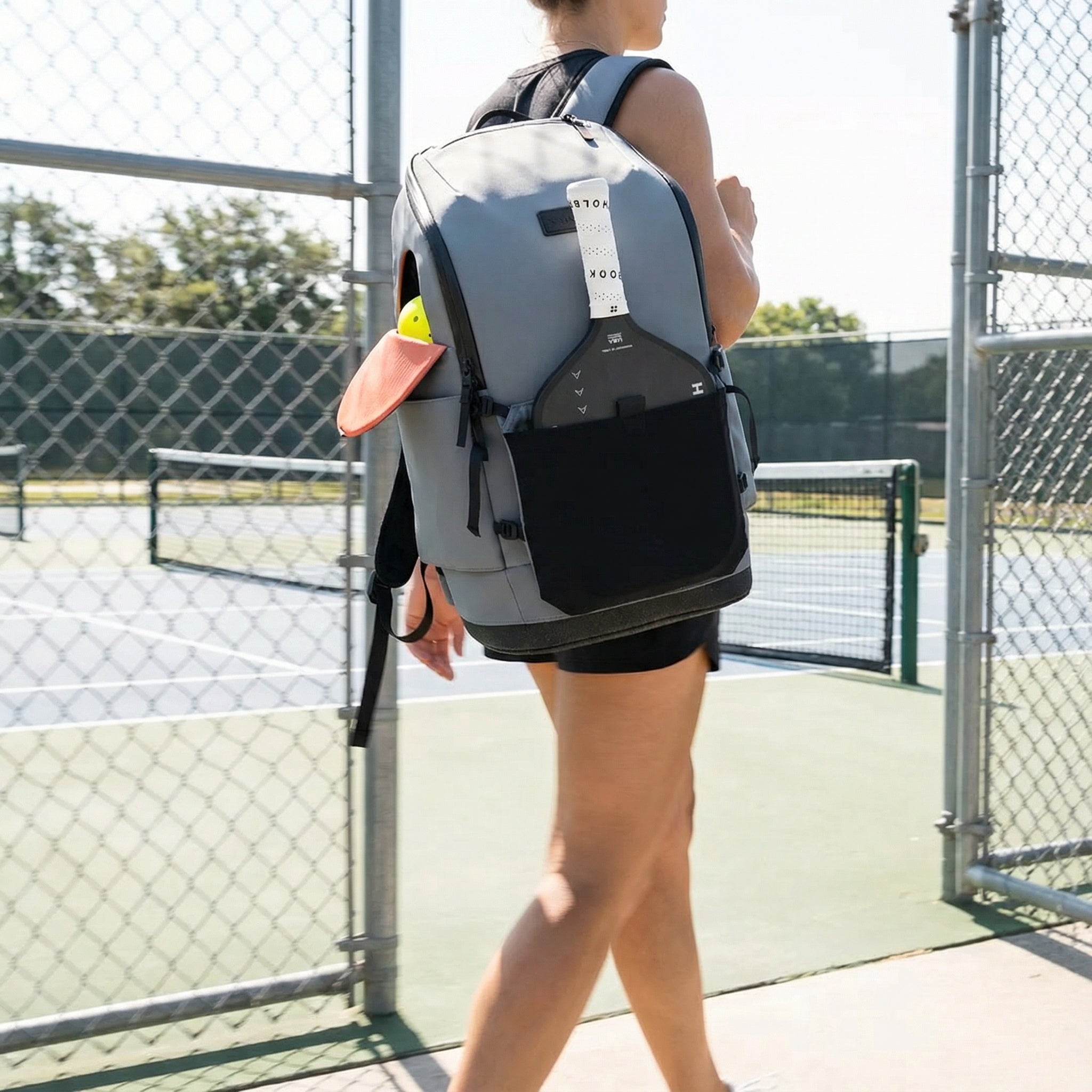
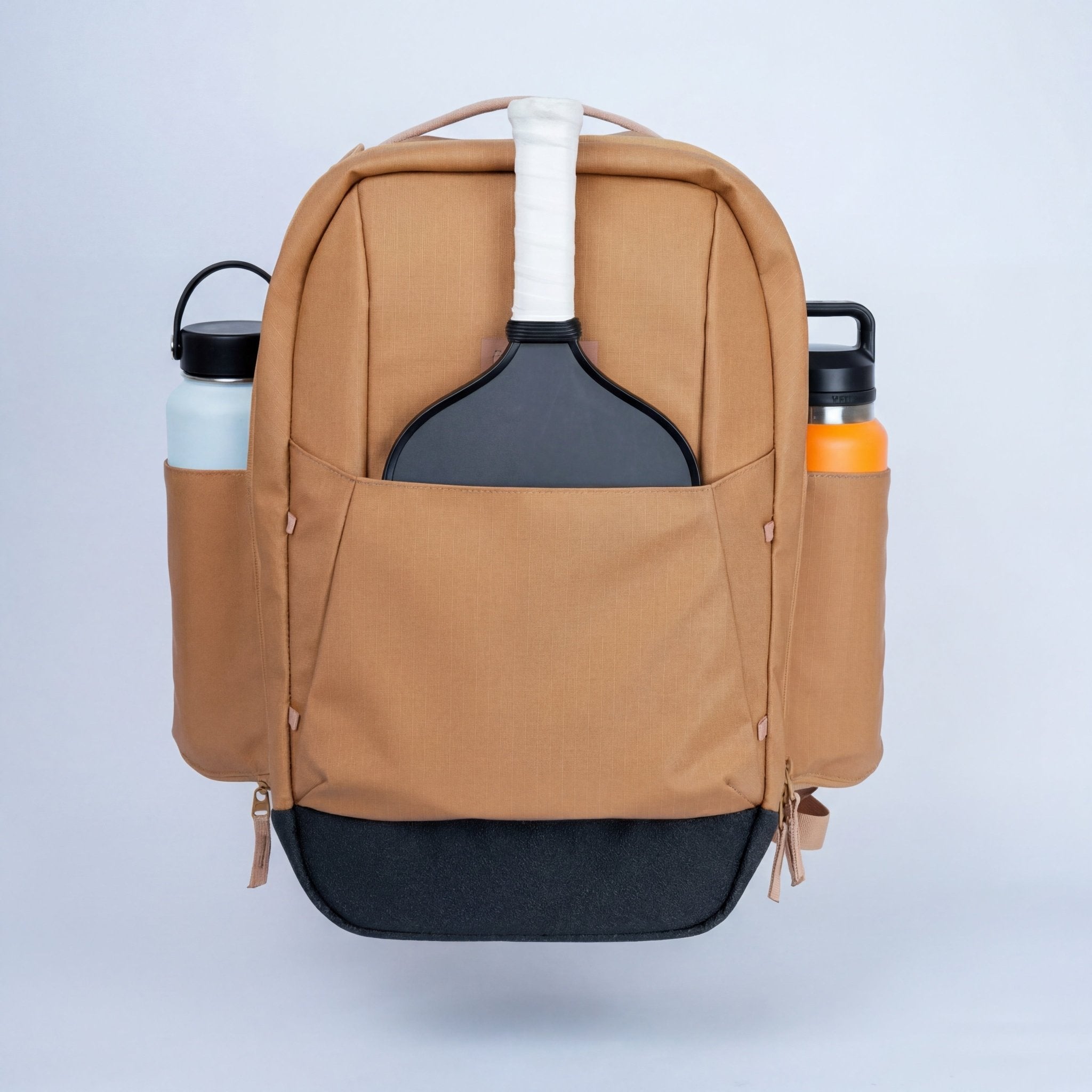
When you're doing solo drill sessions, you pick up every ball yourself. A bag that carries your paddles, water, phone, and gear without forcing you to make three trips to the car becomes a real part of your practice routine — not an afterthought.
The FORWRD Court Ranger V2 has a dedicated ball pocket that holds a full can of outdoor pickleballs, a 16" laptop sleeve, and the same modular paddle sleeve system we use at the facility. It's $195 and it handles the court-to-car carry so the machine handles the ball throwing.

Pricing and Availability
The Pickleball Tutor Spin Ultra is $1,649 at Pickleball Central. Note: the manufacturer lists ship time as 2–3 weeks from order date. This isn't stocked at a local retailer — plan accordingly if you're buying ahead of a season or clinic start date.
No balls are included. You'll need 100–125 pickleballs to fill the hopper. Franklin X-40s run about $55–$70 for a 100-pack — budget for that separately.
Check Current Price at Pickleball Central →
Final Verdict
The Pickleball Tutor Spin Ultra is the right machine if sidespin training is specifically what you need and you're at the stage in your game where you're logging actual practice hours between match play. The digital display, electronic elevation, and preset drills are genuine quality-of-life improvements over the base Spin — not just features for the spec sheet.
It's not the right machine if you want topspin-focused training (Plus Ultra), need a higher-capacity club setup (Lobster Champion), or are just getting started (Mini at $849 is a smarter first machine).
For players stuck at the 3.5–4.0 wall, returning sidespin balls under pressure is a real skill gap. This machine specifically trains that. If that describes your game, the $1,649 price is a reasonable investment across a full season of use.
Buy Pickleball Tutor Spin Ultra at Pickleball Central →
Frequently Asked Questions
What's the difference between the Pickleball Tutor Spin and Spin Ultra?
Both machines deliver left and right sidespin. The Spin Ultra adds a digital display for precise settings, electronic elevation control (adjustable remotely), random oscillation, and six preset drills. The base Spin uses manual dials and has fewer automation features. The Spin Ultra costs $530 more ($1,649 vs $1,119). The upgrade is worth it if you want structured, repeatable practice sessions — not if you just want a machine that throws sidespin balls.
Does the Pickleball Tutor Spin Ultra throw topspin?
No. The Spin Ultra specifically delivers left and right sidespin — lateral rotation. For topspin and backspin, the Pickleball Tutor Plus Ultra ($1,799) is the right choice. Different spin axes, different machines.
How long does the battery last?
Up to 4 hours per charge under normal use. Heavy use (frequent oscillation changes, higher speeds) may reduce that. For a typical solo practice session of 60–90 minutes, you'll get multiple sessions before needing to recharge. Clubs running back-to-back 2-hour sessions may find they need to recharge between uses or purchase the external AC power adapter to plug in during longer training days.
Do balls come with the Pickleball Tutor Spin Ultra?
No. The machine holds up to 125 pickleballs but none are included. You'll need to purchase balls separately — a 100-pack of Franklin X-40s or Onix Fuse runs roughly $55–$80 and gets you a full hopper. Budget for this upfront.
How does the Spin Ultra compare to the Lobster Pickle Two?
The Lobster Pickle Two ($1,599) has a larger 150-ball hopper and is $50 cheaper. The Spin Ultra wins on sidespin capability (Lobster Two doesn't do left/right sidespin) and preset drill organization. Pick Lobster if you need hopper capacity; pick Spin Ultra if sidespin training is your primary goal.
Is the Pickleball Tutor Spin Ultra good for beginners?
It's not the best beginner choice — at $1,649, newer players tend to get more value from the Tutor Mini ($849), which delivers reliable basic ball feeding without the complexity of spin control. The Spin Ultra's value is in its sidespin specificity and preset drill structure, which matter most once you're already developing specific technical improvements.

Leave a comment
This site is protected by hCaptcha and the hCaptcha Privacy Policy and Terms of Service apply.